
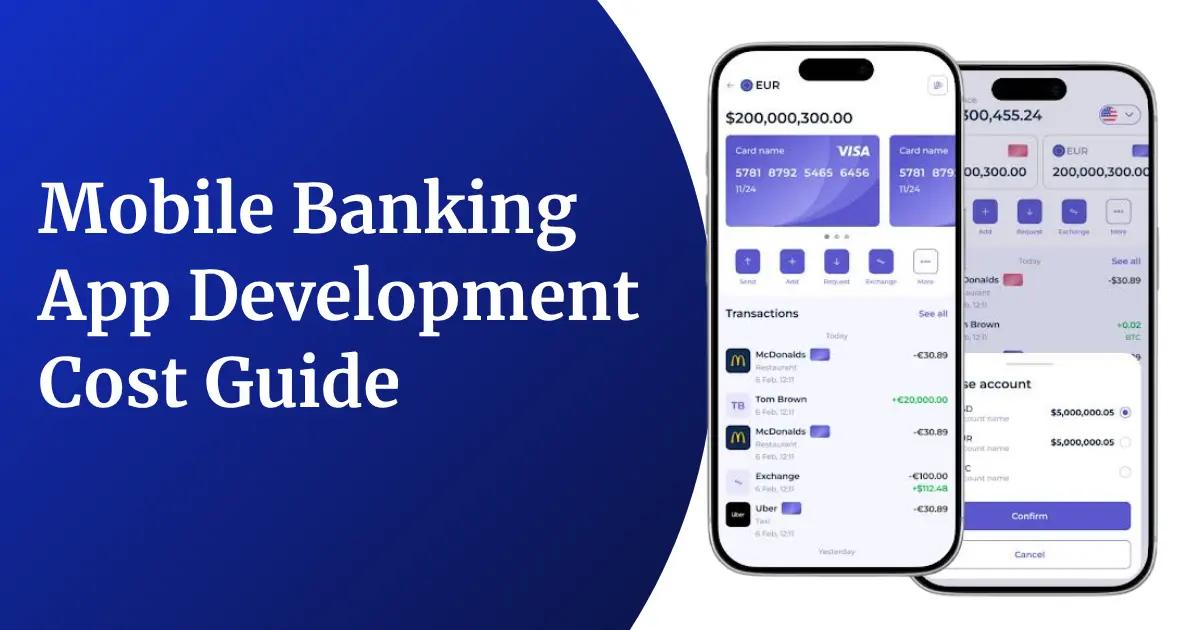
Every second bank customer today prefers checking balances, moving money, and paying bills from a mobile screen instead of standing in a branch queue. That single shift in behaviour has pushed banks, NBFCs, credit unions, and fintech startups to pour serious money into mobile banking apps that are fast, safe, and pleasant to use. But before a single line of code is written, one question always comes up first, and it usually comes up more than once: what will it actually cost to build one?
There is no single number that fits every business here, and anyone who gives you one without asking about your features first is guessing. A simple app that lets users check balances and transfer funds costs far less than a full-scale platform with AI-driven insights, biometric login, and real-time fraud alerts. Digital banking adoption itself is not slowing down either — worldwide users are set to cross 4.2 billion in 2026, which is more than half the planet’s population, and that growth is exactly why so many businesses are rushing to launch or upgrade their own banking apps right now.
This guide breaks down what mobile banking app development actually costs in 2026, the factors that push the price up or down, a phase-by-phase budget breakdown you can use for planning, a simple formula to calculate your own team cost, and the hidden costs most businesses forget about until the invoices start arriving. Whether you are a bank exploring your first digital-only product, an NBFC expanding into mobile-first lending, or a startup building a neobank from scratch, this article will give you a realistic number to work with instead of a vague, one-line estimate.
We have written this specifically with founders, product managers, and decision-makers in mind, so you won’t find heavy technical jargon here. Instead, you will find plain numbers, real ranges, and practical planning tools you can take straight into your next budget meeting.
How Much Does It Cost to Build a Mobile Banking App in 2026?
In 2026, building a mobile banking app usually costs somewhere between $25,000 and $300,000 or more. Where exactly your project falls in that range depends on the complexity of the app, the number of features you want, the platforms you target, the regulatory load your product carries, and who you hire to build it. To make this easier to understand, let’s break the cost down from two angles first — by how complex the app is, and by where your development team is located — before we look at the smaller pricing details later in this guide.
Cost by App Complexity and Feature Set
Not every banking app needs the same level of sophistication on day one. Most projects fall into one of three broad categories, and knowing which one matches your business goal is the fastest way to get a realistic budget number.
| App Type | Core Features | Timeline | Estimated Cost (USD) |
| Basic / MVP Banking App | Account login, balance check, fund transfer, basic push notifications, transaction history | 3 – 4 months | $25,000 – $50,000 |
| Mid-Level Banking App | Bill payments, card controls, budgeting tools, in-app chat support, biometric login, QR payments | 5 – 7 months | $50,000 – $120,000 |
| Advanced / Enterprise Banking App | AI-based spend insights, robo-advisory, multi-currency accounts, real-time fraud detection, open banking APIs | 8 – 12+ months | $120,000 – $300,000+ |
Most businesses start with a mid-level app rather than the most basic version, because customers today already expect features like card controls and bill payments as standard. Jumping straight to an enterprise-grade platform only makes sense once you already have a validated user base that needs the extra depth.
Cost by Development Team Location
Hourly rates vary sharply by region, and this single decision can change your total budget by tens of thousands of dollars even if the feature list stays exactly the same.
| Region | Average Hourly Rate | Typical Project Cost |
| India | $20 – $40 | $25,000 – $150,000 |
| Eastern Europe | $35 – $60 | $40,000 – $200,000 |
| United Kingdom | $60 – $90 | $70,000 – $250,000+ |
| United States | $80 – $150 | $100,000 – $300,000+ |
| Australia | $70 – $110 | $80,000 – $260,000+ |
India continues to be a preferred hub for banks and fintech founders who want strong engineering quality without the price tag of a US or UK team, and the country’s own digital banking boom means local agencies already understand the compliance side of things too. If you are still comparing agencies, it helps to first understand how to spot the right mobile banking app development company before you sign any contract, since the wrong choice can quietly inflate your final bill through scope creep, rework, and missed deadlines.
Cost of Individual Mobile Banking App Features
It also helps to see cost at the feature level, since most businesses don’t build every feature from the tables above on day one. Instead, they pick a combination that fits their launch goals and add the rest later. Here is a rough per-feature cost guide you can use while planning your own build.
| Feature | Estimated Cost (USD) |
| User Onboarding & KYC Verification | $4,000 – $15,000 |
| Biometric Login (Face ID / Fingerprint) | $3,000 – $8,000 |
| Fund Transfer & UPI Integration | $6,000 – $18,000 |
| Bill Payments & Recharges | $3,500 – $10,000 |
| Card Management & Controls | $5,000 – $14,000 |
| Budgeting & Spend Analytics | $6,000 – $20,000 |
| In-App Chat Support / Chatbot | $4,000 – $12,000 |
| Fraud Detection & Risk Scoring | $10,000 – $35,000 |
| Push Notifications & Alerts | $2,000 – $6,000 |
| Admin Dashboard & Reporting | $8,000 – $25,000 |
Adding these up quickly shows why feature prioritization matters so much. Most successful launches pick five or six features that solve a real, immediate problem for their users, rather than trying to match every feature a large bank already offers on day one.
Cost by Business Model
The type of banking business behind the app also shifts the cost, since each model carries a different compliance load and a different depth of backend integration with existing core banking systems.
| Business Model | What Makes It Different | Estimated Cost (USD) |
| Neobank / Digital-Only Bank | Built from scratch, needs full core banking integration and licensing from day one | $100,000 – $300,000+ |
| Traditional Bank Companion App | Connects to an existing core banking system, focuses on the mobile experience layer | $50,000 – $180,000 |
| Corporate / Business Banking App | Multi-user approval workflows, bulk payments, higher-level reporting and permissions | $70,000 – $220,000 |
| NBFC / Lending-Focused App | Loan origination, credit scoring, and disbursement workflows are the core focus | $40,000 – $150,000 |
Traditional bank companion apps are often cheaper to build than a neobank from scratch, simply because they connect to systems that already exist rather than building everything from the ground up. Neobanks, on the other hand, carry the highest cost precisely because they own the entire stack, from licensing to the ledger itself.
Key Factors Influencing Mobile Banking App Development Cost
Two banking apps that look nearly identical on the surface can end up with completely different price tags once development actually starts. That happens because the final cost is shaped by several moving parts working together, not just the number of screens you sketch out in a wireframe. Here are the factors that matter the most when it comes to what you will finally pay.
1. App Complexity and Feature List
The more screens, workflows, and user roles your app needs, the more development hours it takes to build, connect, and test properly. A simple balance-and-transfer app is quick to ship because the logic behind it is fairly linear, while a super app with investments, loans, insurance, and rewards bundled together will naturally cost several times more, since each of those modules needs its own backend logic, UI, and testing cycle. It also pays to map out every user journey on paper before development starts, since discovering a missing workflow midway through the build almost always costs more to add than it would have cost to plan for upfront.
2. Choice of Platform: iOS, Android, or Cross-Platform
Building separately for iOS and Android essentially doubles a lot of the design and testing work, since each platform has its own guidelines, quirks, and review process. A cross-platform framework like Flutter or React Native lets you reuse most of the code and reach both audiences faster and cheaper, which is why many mid-sized banks and fintech startups now choose it by default. Enterprise-grade banking apps sometimes still choose native development for tighter control over performance, hardware access, and security, especially where biometric and secure-enclave features are involved.
3. UI/UX Design Quality
Banking apps live or die by trust, and trust starts with how the app looks and feels the very first time someone opens it. Custom design systems, thoughtful onboarding flows, motion design, and accessibility testing for users with disabilities all add cost during the design phase, but they also reduce drop-off rates and support tickets later on, which usually pays for itself within the first year of usage.
4. Security and Regulatory Compliance
Banking apps handle real money and highly personal financial data, so security cannot be treated as an afterthought bolted on right before launch. Encryption at rest and in transit, secure key storage, device binding, session management, and continuous fraud monitoring all add real engineering effort. Compliance requirements are also getting stricter with each passing year — for instance, RBI’s new authentication directions push banks and payment apps toward dynamic, risk-based authentication instead of relying only on SMS OTPs, and building this kind of intelligent security layer takes real budget, specialised skill, and extra testing time before you can even think about launch.
5. Third-Party Integrations
Most banking apps rely on outside services for KYC verification, payment gateways, credit bureau checks, and account aggregation, since building all of this in-house rarely makes financial sense. Each integration comes with its own setup cost, ongoing usage-based fees, and dedicated testing effort to make sure data flows correctly and securely between systems. If you want a closer look at how these integration costs add up across a typical fintech build, our fintech app development cost guide breaks this down in more depth, with examples specific to payment and lending products.
6. Backend Architecture and Cloud Infrastructure
A banking app needs a backend that can handle thousands, sometimes millions, of simultaneous transactions without slowing down or breaking under pressure. Choosing scalable cloud infrastructure, setting up load balancing, database replication, and building for high availability all add to the development bill upfront, but skipping this step to save money early is far costlier once your real user base starts to grow and traffic spikes become unpredictable. Choosing between a managed cloud service and a self-hosted setup also affects both your upfront cost and your ongoing monthly bill, so it is worth discussing this trade-off with your engineering team before locking in an architecture.
7. Team Composition and Experience Level
A team of senior engineers who have already shipped banking or fintech apps before will naturally charge more per hour, but they also tend to avoid the costly rework, security gaps, and compliance mistakes that inexperienced teams often run into. A junior or first-time team may quote a noticeably lower price upfront, yet still end up costing more in the long run once bugs, delays, and last-minute fixes are added to the final bill.
8. Testing, QA, and Security Audits
Banking apps go through multiple rounds of functional testing, security testing, load testing, and usability testing before they are considered ready to launch, and this rigour continues well after launch too. Automated test suites, manual QA cycles, and third-party security audits all add measurable time and cost to a project, but they are non-negotiable when the app in question is directly connected to someone’s bank account. Building a testing budget into the project from day one, rather than treating it as a final checkbox before launch, tends to catch expensive problems while they are still cheap to fix.
9. Localisation and Multi-Language Support
If your app needs to serve customers across multiple states or countries, supporting several languages, currencies, and regional payment methods adds both design and development work. Even something as small as right-to-left text support or region-specific date formats can quietly add weeks to a project timeline if it isn’t planned for from the start. Currency formatting, local payment rail integrations, and region-specific compliance text also need to be reviewed by someone familiar with each market rather than simply translated word for word.
10. Analytics, Reporting, and Admin Dashboards
Beyond the customer-facing app, most banks and fintechs also need an internal admin panel to monitor transactions, manage users, generate compliance reports, and track app performance. Building this second, parallel system is often underestimated in early cost conversations, even though it can account for a meaningful share of total development effort. A well-built admin dashboard also pays for itself over time by cutting down the manual work your operations team has to do every single day.
Mobile Banking App Development Budget Planning: Detailed Cost Breakdown
Once you have a rough total in mind, it helps to see exactly where that money actually goes, phase by phase. Below is a breakdown that most mobile banking app projects roughly follow, based on how budgets are typically distributed across a project’s lifecycle from the very first planning call to the day it goes live on the app stores.
Phase-Wise Cost Breakdown
| Development Phase | Share of Budget | Estimated Cost (USD) |
| Discovery, Research & Planning | 5% – 8% | $2,000 – $15,000 |
| UI/UX Design | 10% – 15% | $5,000 – $35,000 |
| Frontend Development | 20% – 25% | $15,000 – $70,000 |
| Backend Development & APIs | 25% – 30% | $20,000 – $90,000 |
| Third-Party Integrations | 10% – 12% | $8,000 – $35,000 |
| QA & Security Testing | 10% – 12% | $6,000 – $30,000 |
| Deployment & Launch | 3% – 5% | $2,000 – $10,000 |
| Project Management | 5% – 7% | $3,000 – $15,000 |
Notice that backend development and third-party integrations together often eat up close to 40% of the entire budget. This is not a mistake or inefficiency — it is exactly where most of the security, compliance, and data-handling logic of a banking app actually lives, so it genuinely deserves the largest share of your spending rather than the design layer that users see on the surface.
In-House Team vs Outsourced Agency: A Quick Cost Comparison
| Model | Typical Cost Structure | Best Suited For |
| In-House Team | Fixed monthly salaries, benefits, office and tooling overhead, higher long-term commitment | Large banks planning multiple long-term digital products |
| Outsourced Agency | Project-based or milestone-based pricing, flexible scaling, lower upfront commitment | Startups and mid-sized banks launching their first or second app |
| Hybrid Model | Core in-house product team supported by an outsourced development partner | Businesses planning long-term growth but wanting faster time-to-market now |
Most first-time banking app founders find the outsourced or hybrid route easier to budget for, since it ties spending directly to project milestones instead of fixed monthly overhead. Before deciding, it is worth reading how to choose a fintech app development company, which walks through the exact questions to ask a potential partner before you finalize your budget and sign anything.
How to Calculate Team Cost for Your Mobile Banking App Development
Once you know your feature list and rough timeline, calculating your team cost is mostly straightforward arithmetic rather than guesswork. Here is the formula agencies and in-house teams commonly use to arrive at a fair, defensible estimate:
Team Cost = Σ (Estimated Hours per Role × Hourly Rate of that Role)
You simply repeat this calculation for every role on the project — project manager, UI/UX designer, frontend developer, backend developer, QA engineer, DevOps engineer, and security specialist — and then add up each role’s total to get your combined team cost. To arrive at your full project budget, extend the formula one step further:
Total Project Cost = Team Cost + Third-Party API & Tool Costs + Infrastructure Costs + Contingency Buffer (10% – 15%)
That contingency buffer is not optional padding thrown in to inflate a quote — banking apps almost always run into at least one unplanned requirement along the way, whether it is an extra compliance check requested late in the project or a device compatibility fix discovered during testing, and keeping this margin built in from the start protects your launch date instead of putting it at risk.
Hidden Costs to Consider During Budget Planning for Mobile Banking App
Most cost overruns in banking app projects don’t actually come from the core development work itself — they come from costs nobody accounted for at the planning stage, and they tend to surface right when you can least afford the surprise. Keep these in mind before you finalize your budget so your numbers hold up once real development begins.
Compliance and Licensing Costs
Depending on your market and business model, you may need regulatory approvals, data localization setup, or periodic compliance audits before you can even launch publicly. These costs are recurring rather than one-time, and they tend to grow steadily as your user base and transaction volume grow, so it helps to budget for them as an ongoing line item rather than a single upfront fee. Working with a legal or compliance advisor early in the project, alongside your development team, can save you from expensive redesign work later if a requirement is missed during the initial build.
Third-Party API and Subscription Fees
KYC verification tools, payment gateways, SMS and push notification services, and fraud-detection engines almost always run on a pay-per-use or monthly subscription model rather than a flat one-time charge. As your transaction volume rises with a growing user base, so does this recurring bill, and it is easy to underestimate how quickly these small per-transaction fees add up at scale.
Security Audits and Penetration Testing
A one-time security review at launch is simply not enough for an app that touches real money. Periodic penetration testing, vulnerability scans, and code audits are needed on an ongoing basis to stay ahead of new threats, and skipping these to save money in the short term is one of the costliest mistakes a fintech business can make, both financially and reputationally.
Cloud Hosting and Scaling Costs
Hosting bills grow with real usage, not with your initial estimate made on a spreadsheet before launch. India alone shows how fast this scale can shift — the country’s UPI network processed over 22 billion transactions in a single month recently, and any banking app that hopes to plug into this ecosystem needs infrastructure built to handle sudden, heavy spikes in traffic without slowing down or falling over during peak hours.
App Store Fees and Renewals
Developer account fees, app store review cycles, and periodic renewal costs are individually small but add up steadily over the life of the app, especially if you maintain multiple app store listings across different regions or run separate business and consumer versions of the same product. It is also worth budgeting time for app store review cycles themselves, since banking and finance apps are often reviewed more strictly than other categories and can face longer approval timelines or requests for additional documentation.
Post-Launch Maintenance and Feature Updates
Annual maintenance typically runs 15% to 20% of your original development cost, covering operating system updates, security patches, bug fixes, and new feature rollouts requested by users after launch. Skipping this line item in your initial budget is one of the most common planning mistakes founders make, and it’s worth studying how established top mobile banking app development companies structure their maintenance retainers before you sign a one-time-only development contract.
Customer Support Infrastructure
In-app chat support, a help center, dispute resolution workflows, and a trained support team are essential for a banking app, since users expect fast, reliable help whenever money is involved. This entire layer of the product is often left out of the initial development quote, even though it becomes critical within weeks of launch. Setting up even a basic ticketing system and a small trained support team before launch, rather than scrambling to build one after the first wave of complaints, saves both money and customer trust.
Employee Training and Internal Onboarding
If your bank staff or support team will use an internal dashboard alongside the customer app, budget time and money for training them properly. A powerful admin panel is only useful if the people operating it actually know how to use every feature confidently from day one.
Data Storage and Backup Costs
Financial data usually needs to be retained for several years to satisfy audit and regulatory requirements, and secure backups, disaster recovery setups, and redundant storage across regions all carry their own recurring cost. This is rarely discussed in an initial development quote, yet it becomes essential the moment your app is handling real customer transactions.
How GrowRankers Will Help You Build Your Mobile Banking App
GrowRankers is a Jaipur-based software development agency that works closely with banks, NBFCs, and fintech startups to design and build secure, scalable mobile banking apps without the usual guesswork around cost. Our team maps out your full feature list first, gives you a transparent, phase-wise budget instead of a vague lump-sum number, and builds with security and compliance baked in from day one rather than bolted on right before launch. Whether you need a lean MVP to test the market quickly or a full-scale banking platform built for long-term growth, our mobile app development services are shaped around your business goals and your actual users, not a fixed, one-size-fits-all template.
Beyond just writing code, GrowRankers helps you plan for the hidden costs this guide covers — compliance, third-party integrations, security audits, and post-launch support — so there are no unpleasant surprises once your app goes live and real customers start using it every day. Our teams have shipped apps across fintech, healthcare, travel, ecommerce, and manufacturing, which means we understand how to balance strong security with a smooth, intuitive user experience, and how to keep your budget realistic and honest from the very first planning conversation all the way through launch and beyond. We also help you think past the launch date itself, planning for the maintenance, scaling, and feature roadmap your app will need once real customers start relying on it every single day.
Practical Ways to Reduce Mobile Banking App Development Cost
Cutting cost on a banking app does not have to mean cutting corners on security or user experience. It usually means being smarter about sequencing and scope. Here are a few approaches that genuinely help without putting your compliance or your users at risk.
- Launch with a focused MVP first, then expand the feature set once you have real usage data telling you what customers actually want next.
- Choose a cross-platform framework instead of building fully native apps for iOS and Android separately, unless your performance needs specifically demand it.
- Use established third-party services for KYC, payments, and fraud checks instead of building these complex systems from scratch in-house.
- Work with an experienced offshore or nearshore team in a cost-effective region, rather than assuming a local team is always the safer choice.
- Plan your compliance requirements early in the discovery phase, so security features are designed in from the start instead of retrofitted later at a higher cost.
- Reuse a proven design system instead of custom-building every single UI component from a blank canvas.
None of these shortcuts involve skipping testing, skipping compliance, or skipping security reviews. The businesses that keep their budgets under control long-term are almost always the ones that spend carefully on the things that matter most, rather than the ones that simply spend less everywhere.
Conclusion
Mobile banking app development cost in 2026 can range anywhere from $25,000 for a basic MVP to well over $300,000 for a full-featured enterprise platform, and the right number for your business depends on your feature list, your platform choice, your team’s location, and the compliance load your app has to carry from launch onward. The businesses that budget smartly are the ones that plan for the full picture upfront — core development, third-party costs, security audits, and post-launch maintenance — rather than being caught off guard by them six months after launch. If you are ready to turn your banking app idea into a real, working product with a clear, honest budget attached to it, GrowRankers is ready to help you plan it out, feature by feature, phase by phase.
Frequently Asked Questions
How much does it cost to build a mobile banking app in 2026?
Most mobile banking apps cost between $25,000 and $300,000 or more in 2026, depending on the number of features, the platforms you target, the compliance requirements you carry, and where your development team is based. A basic MVP sits at the lower end, while an enterprise-grade app with AI features and open banking integrations sits closer to the top of that range.
What is the cheapest way to build a mobile banking app?
Starting with an MVP that covers only core features like login, balance check, and fund transfer, and hiring a development team from a cost-effective region like India, is usually the most affordable route. You can then add features gradually once you have real user feedback, instead of paying upfront for functionality nobody has asked for yet.
How long does it take to develop a mobile banking app?
A basic app can be built in 3 to 4 months, a mid-level app with more features usually takes 5 to 7 months, and a full-scale enterprise banking app with AI tools and multiple integrations can take 8 to 12 months or longer, depending on how many third-party systems it needs to connect with.
Does a mobile banking app need regulatory approval?
Yes, banking and payment apps must follow regulations set by bodies like the RBI, including rules around data security, authentication, and periodic reporting, and these requirements vary depending on the country and the exact business model you are running, whether that is a licensed bank, an NBFC, or a fintech partner.
Which features increase mobile banking app development cost the most?
AI-driven spending insights, robo-advisory tools, multi-currency account support, real-time fraud detection, and open banking API integrations tend to add the most to the overall development cost, since each of these requires specialised engineering skill and extensive testing before it can go live safely.
Is it cheaper to build for iOS or Android first?
Android development is often slightly cheaper due to a larger global pool of available developers, but the real cost saving typically comes from using a cross-platform framework to build for both iOS and Android at the same time, rather than choosing one platform over the other.
How much does mobile banking app maintenance cost per year?
Annual maintenance typically costs 15% to 20% of the original development cost and covers operating system updates, security patches, bug fixes, server monitoring, and minor feature improvements requested by users after the app has already launched publicly.
Can I build a mobile banking app with a limited budget?
Yes, starting with a lean MVP focused on your most essential features and expanding gradually after launch is a practical, proven way to manage a limited budget without compromising on the security or compliance standards your users expect from a banking product.
What is the cost difference between an in-house team and an outsourced agency?
An in-house team involves higher fixed costs like salaries, benefits, and office infrastructure that continue whether or not active development is happening, while an outsourced agency usually offers more flexible pricing tied directly to project scope, milestones, and timeline, which is easier to plan a budget around.
How do I choose the right mobile banking app development company?
Look for a company with proven fintech or banking experience, a clear security and compliance track record, transparent phase-wise pricing, and case studies or past projects that genuinely match the scale and complexity of the app you are planning to build.