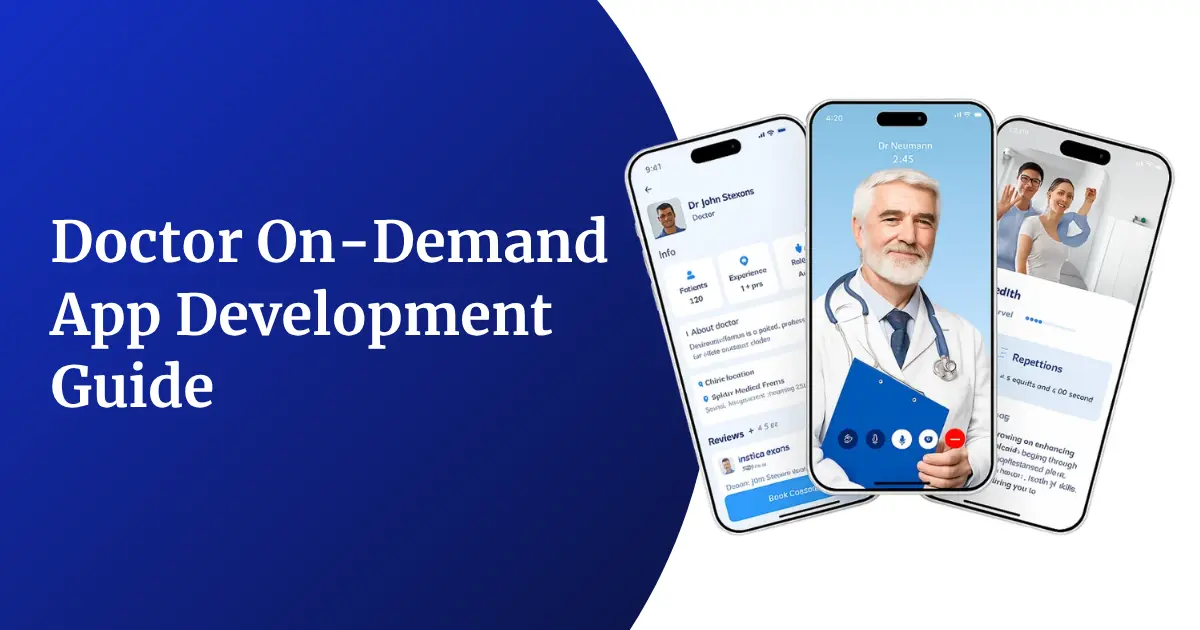
Patients no longer want to wait days for a doctor’s appointment when a rash, a fever, or a mental health concern needs attention today. That single shift in expectation is why doctor on-demand apps have moved from a “nice-to-have” to a core digital health investment for hospitals, insurers, and health-tech startups alike. A well-built on-demand doctor consultation app lets a patient open a phone, describe a symptom, and be connected to a licensed physician in minutes — no clinic visit, no waiting room, no wasted afternoon.
For enterprises, though, building this kind of platform is far more complex than launching a simple video-calling app. It means handling protected health information securely, integrating with electronic health record (EHR) systems, supporting e-prescriptions, managing multi-specialty doctor panels, and staying compliant with regulations such as HIPAA, GDPR, and country-specific telemedicine guidelines. This guide breaks down everything a decision-maker needs to know before starting doctor on-demand app development — from app types and must-have features to the technology stack, security requirements, development process, cost, and revenue models.
Types of Doctor-On-Demand Apps Enterprises Can Build
Before writing a single line of code, enterprises need to decide what kind of on-demand healthcare platform actually fits their business goals. Not every doctor-on-demand app is built the same way — a hospital chain extending its OPD digitally has very different needs from a startup targeting gig workers who need quick, affordable consultations. Choosing the right model early prevents costly rebuilds later and shapes everything from your tech stack to your compliance checklist.
Common Doctor-On-Demand App Models
- General Physician (GP) On-Demand Apps – Connect patients with general physicians for common illnesses, minor infections, and everyday health concerns, usually within minutes.
- Specialist Consultation Apps – Focused on dermatology, psychiatry, gynecology, pediatrics, or cardiology, where patients need a specific expert rather than a generalist.
- Corporate/Enterprise Telehealth Apps – Built for organizations to offer employees on-demand medical consultations as part of a health benefits package.
- Insurance-Linked Telemedicine Apps – Integrated directly with insurance providers so consultations, prescriptions, and claims are processed within a single ecosystem.
- Hospital-Branded Virtual Care Apps – An extension of an existing hospital or clinic chain, allowing patients to book both in-person and virtual visits with the same doctor panel.
- Home Healthcare & Nursing On-Demand Apps – Combine remote consultation with the ability to book in-home services like nursing care, physiotherapy, or lab sample collection.
- AI-Triage First Apps – Use an AI chatbot to assess symptoms first, then route the patient to a human doctor only when necessary, reducing unnecessary consultations.
- Chronic Care & Remote Monitoring Apps – Built for patients managing diabetes, hypertension, or heart disease, combining on-demand consultations with continuous vitals tracking.
Comparison Table: Doctor-On-Demand App Types
| App Type | Ideal For | Key Differentiator | Typical Users |
| General Physician App | Startups entering telehealth | Fast, low-cost consultations | Individual patients, families |
| Specialist Consultation App | Niche health-tech platforms | Deep specialty-specific features | Patients with chronic or specific conditions |
| Corporate Telehealth App | Enterprises, HR-tech companies | Bulk employee onboarding, HR dashboards | Working professionals |
| Insurance-Linked App | Insurance companies, TPAs | Direct claims and billing integration | Policyholders |
| Hospital-Branded App | Hospital chains, multi-specialty clinics | Unified in-person + virtual booking | Existing hospital patients |
| Home Healthcare App | Home-care service providers | On-demand nursing, sample collection | Elderly patients, post-surgery care |
| AI-Triage App | Tech-first health startups | Reduces load on doctors via smart routing | Tech-savvy younger users |
| Chronic Care App | Disease management platforms | Continuous monitoring + consultation | Patients with long-term conditions |
Understanding these models helps enterprises scope the right MVP instead of trying to build every feature at once. Many businesses also study the telemedicine app development cost for each model before finalizing their build plan, since pricing can shift significantly based on the app type chosen.
Core Features Every Enterprise Doctor-On-Demand App Should Include
A doctor-on-demand app typically has three connected interfaces — the patient app, the doctor/provider app, and the admin panel. Each needs its own feature set, but they all need to work together seamlessly for the platform to function like a real digital clinic.
Patient App Features
- Easy Sign-Up & Profile Management – Quick registration via phone number, email, or social login, with medical history, allergies, and family profiles stored securely.
- Symptom Checker / AI Triage – A guided questionnaire or chatbot that helps patients describe symptoms and get matched with the right type of doctor.
- Doctor Search & Filtering – Filter doctors by specialty, language, rating, availability, and consultation fee.
- Instant & Scheduled Consultations – Option to connect with the next available doctor immediately or book a slot for later.
- Video, Audio & Chat Consultations – Multiple communication modes depending on patient preference and connectivity.
- Digital Prescriptions – E-prescriptions generated instantly after the consultation, downloadable and shareable with pharmacies.
- Health Records Vault – A secure place to store past prescriptions, lab reports, and consultation summaries.
- In-App Payments – Multiple payment options including cards, wallets, UPI, and insurance-linked billing.
- Push Notifications & Reminders – Alerts for upcoming appointments, medicine refills, and follow-up consultations.
- Ratings & Reviews – Lets patients rate doctors after each consultation to maintain platform quality.
Doctor/Provider App Features
- Availability & Schedule Management – Doctors can set working hours, block time off, and toggle instant-availability status.
- Patient History Access – Quick access to a patient’s previous consultations, prescriptions, and reported symptoms before the call starts.
- Consultation Notes & E-Prescription Tool – Doctors can document diagnosis notes and generate compliant digital prescriptions within the same screen.
- Earnings & Payout Dashboard – Real-time visibility into consultation earnings, pending payouts, and transaction history.
- Secure Messaging – Encrypted chat for follow-up questions between scheduled consultations.
- Referral System – Ability to refer patients to specialists or recommend in-person visits when needed.
Admin Panel Features
- Doctor Onboarding & Verification – Manage license verification, credential checks, and specialty tagging for every doctor on the platform.
- Appointment & Queue Management – A live dashboard showing ongoing, upcoming, and missed consultations across the platform.
- Analytics & Reporting – Insights into consultation volume, peak hours, doctor performance, and revenue trends.
- Content & Notification Management – Push targeted health content, offers, and reminders to specific patient segments.
- Dispute & Refund Management – Tools to handle cancellations, complaints, and refund requests efficiently.
- Compliance Monitoring – Track consent forms, data retention policies, and audit logs for regulatory reporting.
Step-by-Step Doctor-On-Demand App Development Process
Building an enterprise-grade telehealth platform is a structured process, not a single sprint. Skipping steps — especially around compliance and clinical workflow validation — is one of the biggest reasons healthcare apps fail after launch. Here’s how a properly executed development cycle looks.
1. Market Research & Requirement Gathering
- Study the target audience — are you building for urban working professionals, rural patients, or corporate employees?
- Analyze competitor apps to identify feature gaps and pricing opportunities.
- Define whether the app will operate in a single region or across multiple countries with different telemedicine laws.
- Document must-have vs. nice-to-have features to avoid scope creep during development.
2. Compliance & Regulatory Planning
- Identify which healthcare regulations apply — HIPAA in the US, GDPR in Europe, or local telemedicine practice guidelines elsewhere.
- Plan data residency requirements if operating in multiple countries.
- Draft consent flows for data sharing, recording consultations, and prescription issuance.
- Involve a compliance or legal advisor early, since retrofitting compliance later is expensive and slow.
3. UI/UX Design
- Design separate, role-specific journeys for patients, doctors, and admins.
- Prioritize accessibility — larger fonts, voice input, and multilingual support matter more in healthcare apps than in most other app categories.
- Create low-friction booking flows since patients seeking urgent care abandon apps quickly if the process feels slow.
- Validate wireframes with real doctors and patients through usability testing before moving to development.
4. Technical Architecture & Tech Stack Finalization
- Decide between native, cross-platform, or hybrid app development based on target devices and budget.
- Select backend architecture — microservices are generally preferred for scalability and easier compliance auditing.
- Choose third-party integrations for video calling, payments, e-prescriptions, and EHR connectivity.
- Plan for cloud infrastructure that supports healthcare-grade encryption and uptime guarantees.
5. Development (Frontend, Backend & API Integrations)
- Build the patient app, doctor app, and admin dashboard in parallel sprints.
- Integrate secure video/audio SDKs, payment gateways, and notification services.
- Connect with pharmacy networks, diagnostic labs, and insurance APIs if required by the business model.
- Set up real-time doctor-matching and queue management logic on the backend.
6. Quality Assurance & Compliance Testing
- Conduct functional testing across devices, network speeds, and operating systems.
- Perform security testing including penetration testing and vulnerability scanning.
- Run compliance audits to confirm encryption standards, consent logging, and data storage rules are correctly implemented.
- Test video/audio quality under low-bandwidth conditions, since many patients will connect from weaker networks.
7. Deployment & App Store Submission
- Prepare app store listings with the required healthcare disclosures and privacy policy links.
- Set up production-grade cloud servers with load balancing and failover systems.
- Configure monitoring tools to track uptime, latency, and error rates from day one.
8. Post-Launch Support & Continuous Improvement
- Monitor user feedback and doctor feedback closely during the first few months.
- Release regular updates to fix bugs, improve matching algorithms, and add requested features.
- Scale infrastructure as consultation volume grows, particularly during flu season or public health events.
- Continuously audit compliance as regulations evolve.
Enterprise Architecture for Doctor-On-Demand App Development
A doctor-on-demand platform needs an architecture that can handle real-time video traffic, sensitive health data, and unpredictable spikes in demand — all at once. Enterprises typically build on a layered, microservices-based architecture rather than a single monolithic codebase, because it allows different modules (video consultation, payments, EHR sync, notifications) to scale and update independently without risking downtime across the whole platform.
A typical enterprise architecture includes:
- Client Layer – Patient app, doctor app, and admin web dashboard, each communicating with backend services through secure APIs.
- API Gateway Layer – Manages authentication, request routing, rate limiting, and load balancing across microservices.
- Core Services Layer – Independent microservices for appointment scheduling, doctor matching, video/audio sessions, e-prescriptions, billing, and notifications.
- Data Layer – Encrypted databases for patient records, consultation history, and transaction logs, often split between relational databases for structured data and NoSQL databases for logs and chat history.
- Integration Layer – Connects the platform to third-party systems such as EHRs, pharmacy networks, insurance providers, and payment gateways.
- Security & Compliance Layer – Handles encryption, identity verification, audit logging, and access control across every service.
- Infrastructure Layer – Cloud hosting (AWS, Azure, or Google Cloud) with auto-scaling, disaster recovery, and healthcare-grade data centers.
This layered approach also makes it far easier to pass security audits and healthcare compliance certifications, since each component can be reviewed and validated independently rather than as one large, tangled codebase.
Technology Stack for Doctor-On-Demand App Development
Choosing the right technology stack directly affects app performance, scalability, and long-term maintenance cost. Below is a breakdown of the components enterprises typically evaluate.
Key Technology Components
- Frontend Development – Frameworks for building fast, responsive patient and doctor interfaces across iOS, Android, and web.
- Backend Development – Server-side logic that powers scheduling, matching, notifications, and business rules.
- Database Management – Secure storage for patient records, appointment history, and transactional data.
- Real-Time Communication – SDKs that enable encrypted video, audio, and chat consultations with minimal latency.
- Cloud Infrastructure – Hosting environments that offer healthcare-compliant data storage and auto-scaling capabilities.
- Payment Gateway Integration – Secure processing for consultation fees, subscriptions, and insurance-linked billing.
- Third-Party APIs – Integrations for e-prescriptions, pharmacy delivery, lab bookings, and EHR/EMR systems.
Technology Stack Table
| Layer | Common Technologies |
| Frontend (Mobile) | Swift (iOS), Kotlin (Android), Flutter, React Native |
| Frontend (Web) | React.js, Angular, Vue.js |
| Backend | Node.js, Python (Django/Flask), Java (Spring Boot), Ruby on Rails |
| Database | PostgreSQL, MySQL, MongoDB, Firebase |
| Real-Time Communication | WebRTC, Twilio Video, Agora, Vonage |
| Cloud Hosting | AWS, Microsoft Azure, Google Cloud Platform |
| Payment Gateways | Stripe, Razorpay, PayPal, Braintree |
| Notifications | Firebase Cloud Messaging, Twilio SMS, OneSignal |
| EHR/EMR Integration | HL7 FHIR APIs, Redox, Epic App Orchard |
| Security & Encryption | AES-256, TLS 1.2/1.3, OAuth 2.0, JWT |
The right combination depends on your target platforms, expected user volume, and existing enterprise systems that the app needs to connect with. Enterprises evaluating vendors for this stage often review a list of top healthcare app development companies in India to compare technical expertise before finalizing a development partner.
Healthcare Compliance and Security Standards for Doctor-On-Demand Apps
Compliance isn’t optional in telehealth — a single data breach or improperly stored prescription can lead to regulatory penalties, loss of user trust, and even platform shutdown. Enterprises need to bake compliance into the architecture from day one rather than treating it as a checklist at the end.
HIPAA Compliance (United States)
Any app handling protected health information (PHI) for US patients must follow HIPAA’s Privacy and Security Rules, covering how data is stored, transmitted, and shared. This includes signed Business Associate Agreements (BAAs) with every third-party vendor that touches patient data, from cloud hosting providers to video SDK partners. The official HHS HIPAA guidelines outline the full set of requirements enterprises need to meet.
GDPR Compliance (Europe)
For platforms operating in or serving European patients, GDPR governs how personal data is collected, processed, and stored, giving users explicit rights to access, correct, or delete their data. This requires clear consent flows, data minimization practices, and the ability to fully erase a user’s data on request.
End-to-End Encryption
All video, audio, chat, and file-sharing features must use strong encryption standards (such as AES-256 for stored data and TLS for data in transit) to prevent interception or unauthorized access during consultations.
Role-Based Access Control (RBAC)
Not every team member or system component should have access to full patient records. RBAC ensures doctors, admins, support staff, and automated systems only see the data relevant to their role.
Secure Authentication
Multi-factor authentication (MFA), biometric login options, and session timeout policies help prevent unauthorized account access, particularly important given the sensitivity of health data stored in these apps.
Audit Trails & Logging
Every access to patient data — who viewed it, when, and why — should be logged and auditable. This is essential both for regulatory compliance and for investigating any suspected data misuse.
Data Localization Requirements
Several countries require patient health data to be stored on servers located within national borders. Enterprises expanding across regions need to plan cloud infrastructure accordingly to avoid compliance violations.
Common Challenges in Doctor-On-Demand App Development and How to Overcome Them
Even well-funded enterprises run into predictable obstacles when building telehealth platforms. Knowing these challenges in advance helps teams plan around them rather than getting blindsided mid-project.
Ensuring Reliable Video Quality Across Networks
Patients often connect from areas with inconsistent internet speeds. Solution: Use adaptive bitrate streaming and fallback to audio-only or chat consultations automatically when video quality drops below an acceptable threshold.
Managing Doctor Availability at Scale
Balancing supply (available doctors) with demand (patient requests) during peak hours is a constant operational challenge. Solution: Build smart queuing and load-based doctor matching algorithms, and incentivize doctors to be available during predicted high-demand windows.
Meeting Multi-Region Compliance Requirements
Expanding into new countries often means dealing with entirely different telemedicine laws and data storage rules. Solution: Design the architecture with configurable compliance modules from the start, rather than hardcoding rules for a single region.
Integrating with Legacy Hospital Systems
Many hospitals still run on older EHR/EMR systems that aren’t built for modern API integrations. Solution: Use established healthcare interoperability standards like HL7 FHIR and work with integration engines that specialize in legacy system connectivity.
Building Patient Trust in Virtual Care
Some patients remain skeptical about receiving accurate diagnoses without an in-person visit. Solution: Highlight doctor credentials clearly, offer transparent reviews, and build in easy escalation paths to in-person care when a condition requires it.
Preventing Prescription Misuse
Digital prescriptions can be more vulnerable to misuse if not properly controlled. Solution: Implement verified e-prescription systems with pharmacy-side validation and restrict controlled substance prescriptions per regional telemedicine laws.
Scaling Infrastructure During Demand Spikes
Health emergencies or seasonal illness outbreaks can cause sudden traffic surges. Solution: Use cloud auto-scaling and load testing well before peak seasons to ensure the platform doesn’t crash under pressure.
How Much Does Doctor On-Demand App Development Cost?
App development cost depends on the complexity of features, the number of platforms (iOS, Android, web), the development team’s location, and the depth of compliance work required. Below is a general cost breakdown enterprises can use for budgeting purposes.
Cost Breakdown Table
| Development Stage | Estimated Cost Range (USD) |
| Market Research & UI/UX Design | $5,000 – $15,000 |
| MVP Development (Basic Features) | $25,000 – $50,000 |
| Full-Featured Patient + Doctor App | $50,000 – $90,000 |
| Admin Panel & Analytics Dashboard | $10,000 – $20,000 |
| Third-Party Integrations (Video, Payments, EHR) | $8,000 – $25,000 |
| Compliance & Security Implementation | $10,000 – $30,000 |
| QA & Testing | $8,000 – $18,000 |
| Post-Launch Maintenance (Annual) | $15,000 – $40,000 |
| Total Estimated Range | $80,000 – $250,000+ |
These figures can vary widely based on region-specific developer rates, the complexity of insurance or EHR integrations, and whether the enterprise needs multi-country compliance built in from launch. For a more detailed regional cost comparison, enterprises can refer to this complete healthcare app development cost guide before finalizing budgets.
Revenue Models for Doctor-On-Demand Apps
A strong feature set means little without a sustainable monetization strategy behind it. Most successful doctor-on-demand platforms combine two or more revenue streams rather than relying on a single model.
Revenue Model Comparison Table
| Revenue Model | How It Works | Best Suited For |
| Pay-Per-Consultation | Patients pay a fixed fee per video/audio/chat session | General-purpose consultation apps |
| Subscription Plans | Monthly/annual plans offering unlimited or discounted consultations | Chronic care and family health platforms |
| Commission from Doctors | Platform takes a percentage cut from each doctor’s consultation fee | Marketplace-style telehealth apps |
| Corporate/B2B Licensing | Enterprises pay a bulk fee to offer the app as an employee benefit | HR-tech and enterprise wellness platforms |
| Insurance Partnerships | Revenue share or referral fees from insurance providers | Insurance-linked telemedicine apps |
| Pharmacy & Lab Referral Fees | Commission earned when prescriptions or lab tests are fulfilled through partner networks | Full-service digital health ecosystems |
| Advertising & Sponsored Content | Health brands pay for visibility within the app | High-traffic consumer health apps |
Combining a pay-per-consultation base with either subscription plans or B2B licensing tends to give enterprises the most predictable revenue while still keeping the app accessible for occasional users.
Future Trends Shaping Doctor-On-Demand App Development
The telehealth industry is entering a phase of sustained, structural growth rather than a temporary pandemic-driven spike. Recent industry analysis shows the global telehealth market is projected to expand at a compound annual growth rate of over 20% through the next decade, driven by rising chronic disease management needs, growing smartphone penetration, and increasing comfort with virtual care among both patients and physicians. Looking ahead, enterprises should watch for AI-powered symptom triage becoming a standard first step before human consultation, deeper integration of wearable and remote-monitoring data into on-demand platforms, expanding tele-mental-health services, and continued regulatory easing that allows virtual prescriptions across more specialties and regions. Interoperability standards like HL7 FHIR are also becoming a baseline expectation rather than a differentiator, as hospitals and insurers push for seamless data exchange between telehealth apps and traditional care systems.
Why Choose GrowRankers for Doctor-On-Demand App Development
Building a doctor-on-demand app isn’t just about writing code — it’s about combining healthcare domain knowledge, compliance expertise, and scalable engineering under one roof. GrowRankers brings all three together for enterprises looking to launch or scale their telehealth platforms.
- Healthcare-Focused Development Team – Engineers and designers experienced specifically in building compliant, patient-friendly digital health products, not generic apps retrofitted for healthcare.
- End-to-End Compliance Support – From HIPAA and GDPR planning to secure architecture design, compliance is built into the process from day one rather than added later.
- Scalable, Enterprise-Grade Architecture – Microservices-based builds designed to handle growing consultation volumes without performance drops.
- Custom Integrations – Seamless connectivity with EHR systems, payment gateways, pharmacy networks, and insurance platforms tailored to each client’s ecosystem.
- Transparent Development Process – Clear milestones, regular progress updates, and realistic timelines instead of vague delivery promises.
- Post-Launch Partnership – Ongoing support, feature updates, and infrastructure scaling as your patient base grows.
Enterprises can also explore GrowRankers’ complete healthcare app development services to see how the team approaches everything from telemedicine platforms to remote patient monitoring solutions.
Conclusion
Doctor on-demand apps have shifted from an experimental digital health idea to a core expectation in modern healthcare delivery. For enterprises, success in this space depends on getting the fundamentals right early — choosing the correct app model, building a feature set that genuinely serves patients and doctors, architecting for scale and compliance from day one, and picking a technology stack that can grow with demand. Cost and revenue planning matter just as much as the build itself, since a technically excellent app still needs a sustainable business model behind it. With healthcare regulations tightening and patient expectations rising, working with a development partner that understands both the technical and compliance sides of telehealth is no longer optional — it’s the difference between a platform that scales safely and one that runs into costly setbacks after launch.
Frequently Asked Questions
1. How long does it take to build a doctor on-demand app?
A basic MVP typically takes 3 to 5 months, while a full-featured enterprise-grade platform with EHR integration and multi-region compliance can take 7 to 12 months depending on scope.
2. What is the minimum budget needed for a doctor on-demand app?
A functional MVP with core consultation features generally starts around $25,000 to $50,000, while a complete enterprise platform can range from $80,000 to $250,000 or more.
3. Do doctor on-demand apps need to be HIPAA compliant?
Yes, if the app serves patients in the United States or handles protected health information tied to US patients, HIPAA compliance is mandatory, along with signed agreements with every third-party vendor involved.
4. Can a doctor on-demand app issue valid prescriptions?
Yes, most platforms include e-prescription features, but the validity depends on regional telemedicine laws, which vary in what medications can be prescribed remotely, including restrictions on controlled substances.
5. What technology is used for video consultations in these apps?
Most platforms use real-time communication SDKs such as WebRTC, Twilio Video, or Agora, chosen for their low latency, encryption support, and ability to scale across large user bases.
6. How do doctor on-demand apps make money?
Common revenue models include pay-per-consultation fees, subscription plans, commission from doctor earnings, corporate licensing deals, and insurance partnership revenue shares.
7. Can an existing hospital system integrate its records with a new telehealth app?
Yes, using interoperability standards like HL7 FHIR, hospital EHR/EMR systems can be connected to a new telehealth platform, though legacy systems may require additional integration engineering.
8. Is it better to build a native app or a cross-platform app for telehealth?
Native apps offer better performance for video-heavy features, while cross-platform frameworks like Flutter or React Native reduce development cost and time, making them a common choice for MVPs and mid-sized platforms.
9. How is patient data kept secure in doctor on-demand apps?
Security relies on end-to-end encryption, role-based access control, multi-factor authentication, and detailed audit logging, all layered together to protect sensitive health information at every stage.
10. What makes a doctor on-demand app different from a general telemedicine platform?
A doctor on-demand app specifically emphasizes instant, real-time access to available doctors, whereas broader telemedicine platforms may focus more heavily on scheduled appointments, remote monitoring, or chronic disease management programs.