Live streaming isn’t a “nice-to-have” feature anymore; it’s become the default way people watch sports, attend classes, shop, worship, game, and even date. Every day, millions of people open an app, tap a button, and go live in front of an audience without thinking twice about the technology working behind the scenes. That’s the part most founders don’t see: the video encoding, the delivery network, the chat servers, the moderation tools — all of it running quietly so the viewer’s experience feels effortless. If you’ve been thinking about building your own live streaming app, the first question that pops into your head is probably the same one everyone asks: how much is this actually going to cost me?
The honest answer is — it depends. A simple live streaming app with basic broadcast features can cost as little as $15,000, while a full-scale platform like Twitch or YouTube Live, with real-time chat, monetization, multi-quality streaming, and AI-based recommendations, can cross $150,000 and go well beyond that. There isn’t one universal price tag because no two streaming apps are actually solving the same problem. A fitness coach streaming live workout sessions to a few thousand loyal followers has very different technical needs than a social platform trying to support hundreds of thousands of simultaneous broadcasters. Both are “live streaming apps,” but their budgets can be worlds apart.
In this guide, we’ll break down every cost component in plain language, show you real number ranges in tables, walk you through the factors that push your budget up or down, and help you understand where your money actually goes — so you can plan a realistic budget instead of guessing. By the end, you should be able to look at your own app idea and have a fairly confident number in your head, instead of relying on a vague “it depends” from every agency you talk to.
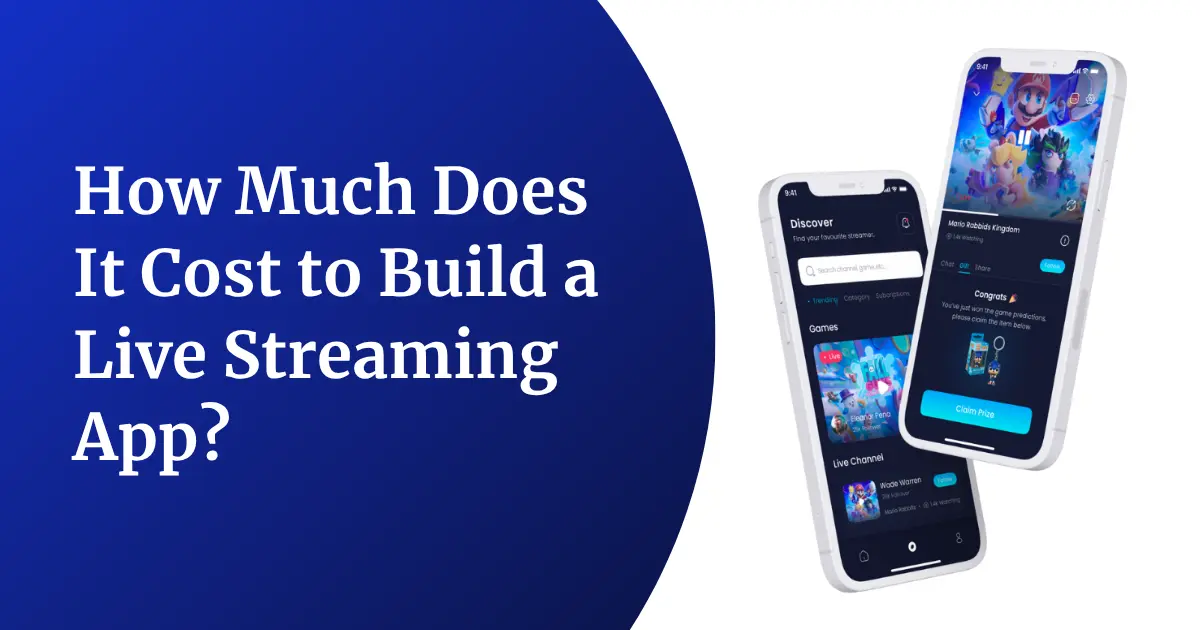
How Much Does It Cost to Build a Live Streaming App?
Before we get into the nitty-gritty of cost breakdowns, let’s look at the big picture. The total cost of building a live streaming app depends heavily on three things: the complexity of the app, the platform you choose to build for, and the region where your development team is based. There are, of course, other smaller factors too, but these three alone can shift your final number by tens of thousands of dollars, so let’s look at each one carefully.
Cost Based on App Complexity
The complexity of your app is the single biggest driver of cost. A basic MVP (Minimum Viable Product) with just the core streaming functionality will always cost less than a feature-rich platform with chat, tipping, subscriptions, and analytics dashboards. Think of complexity as layers, every extra layer you add on top of “just let people go live” adds engineering hours, testing hours, and often new third-party costs too.
| App Complexity | Core Features | Estimated Cost (USD) | Development Time |
|---|---|---|---|
| Basic App | Live broadcast, basic user profile, simple chat | $15,000 – $30,000 | 2 – 3 months |
| Mid-Level App | Multi-quality streaming, live chat, notifications, basic monetization | $30,000 – $70,000 | 4 – 6 months |
| Advanced App | Multi-streaming, AI recommendations, gifting/tipping, subscriptions, analytics, moderation tools | $70,000 – $150,000+ | 7 – 12 months |
| Enterprise-Grade Platform | Everything above plus CDN scaling, multi-language support, advanced security, custom monetization models | $150,000 – $300,000+ | 12+ months |
Most founders don’t need to start at the enterprise tier. It’s usually smarter to launch at the “basic” or “mid-level” tier, prove that people actually want to use your app, and then reinvest revenue into the advanced features once you have real usage data guiding your decisions.
Cost Based on Platform (iOS, Android, Web)
Another big factor is how many platforms you want to launch on at once. Building for a single platform is naturally cheaper than building for three at once, though cross-platform frameworks can help you save a good chunk of money without sacrificing too much on performance or user experience.
| Platform Type | Approach | Estimated Cost (USD) |
|---|---|---|
| Single Platform (iOS or Android) | Native development | $18,000 – $50,000 |
| Both iOS + Android | Cross-platform (Flutter/React Native) | $35,000 – $90,000 |
| Web + Mobile (iOS + Android) | Combined native + web app | $60,000 – $150,000+ |
A common mistake founders make here is trying to launch on all three platforms simultaneously right out of the gate. Unless your business model absolutely requires it from day one, it’s usually far more cost-effective to launch on the platform where your target audience actually spends their time, and expand from there once you’ve validated demand.
Cost Based on Development Team Location
Where your developers sit on the map changes your hourly rate dramatically. This is one of the easiest ways to control your budget without touching your feature list at all, the same app built by two equally skilled teams can cost two or three times more depending purely on geography.
| Region | Average Hourly Rate (USD) | Typical Total Project Cost |
|---|---|---|
| North America | $100 – $180/hr | $80,000 – $250,000+ |
| Western Europe | $80 – $150/hr | $70,000 – $200,000 |
| Eastern Europe | $40 – $80/hr | $40,000 – $120,000 |
| India / South Asia | $20 – $50/hr | $15,000 – $90,000 |
It’s worth noting that a lower hourly rate doesn’t automatically mean lower quality. Many teams in Eastern Europe and South Asia have deep, specialized experience in streaming technology specifically, simply because so much outsourced development work in this niche flows through those regions. The key is evaluating past work and technical depth, not just location on a map.
If you’re also exploring cost differences across other kinds of apps (not just streaming), it’s worth reading this breakdown on mobile app development cost to get a wider frame of reference before finalizing your own budget.
Key Factors Influencing Live Streaming App Development Cost
Now that you have a rough number in your head, let’s talk about what actually pushes that number up or down. Understanding these factors will help you make smarter decisions during the planning stage instead of finding out about them halfway through development, when changes become far more expensive to make.
1. Streaming Protocol and Technology Stack
The protocol you use to deliver video, RTMP, HLS, WebRTC, or SRT, directly affects both cost and latency. WebRTC gives you near real-time streaming (great for interactive apps like auctions or dating) but is more expensive to implement well because it needs peer-to-peer connection handling and constant network adaptation. HLS is cheaper and easier but comes with a delay of several seconds, which is fine for one-way broadcasts like concerts or webinars where instant back-and-forth interaction isn’t the main goal. Choosing the wrong protocol early on is one of the most expensive mistakes a founder can make, because switching protocols mid-project often means rebuilding a large chunk of your streaming pipeline.
2. Number of Concurrent Users
An app that expects 500 viewers at a time behaves very differently from one built for 500,000. Scaling infrastructure, load balancing, and CDN (Content Delivery Network) costs rise sharply as your expected concurrent user count grows. It’s not just about handling more traffic either — at higher scale, you also need more sophisticated monitoring, auto-scaling servers, and failover systems so that a sudden spike in viewers (say, during a viral moment) doesn’t crash your entire platform.
3. Video Quality and Adaptive Bitrate Streaming
Supporting multiple resolutions (480p, 720p, 1080p, 4K) and adaptive bitrate streaming — where the app automatically adjusts quality based on the viewer’s internet speed, adds engineering effort and increases both development and hosting costs. This feature is genuinely worth the investment though, since nothing frustrates a viewer more than a stream that keeps buffering because it’s stuck trying to deliver a resolution their connection can’t handle.
4. Real-Time Chat and Interactive Features
Live chat, emoji reactions, polls, and Q&A during a broadcast all require real-time messaging infrastructure running alongside your video pipeline. These features are what make streaming feel “live” and social rather than just a video playing on a screen, but they do add to the bill because they need their own scalable messaging servers, often built on WebSocket connections that need to handle thousands of messages per second during a popular stream.
5. Monetization Model
Whether you’re going with subscriptions, pay-per-view, ads, virtual gifting, or a mix of all four, each monetization method needs its own backend logic, payment gateway integration, and sometimes compliance work (especially for in-app currency or gifting features, which some regions regulate quite strictly). The more monetization models you combine, the more testing and edge-case handling your team will need to do before launch.
6. Third-Party API Integrations
Payment gateways, push notification services, analytics tools, and content moderation APIs (to auto-detect inappropriate content) all come with their own licensing or usage-based costs that add to your total project budget. It’s easy to overlook these during initial planning because they seem like small add-ons, but a handful of API subscriptions can quietly add several hundred dollars a month to your operating costs once you’re live.
7. UI/UX Design Complexity
A clean, simple design costs less than a highly custom, animation-heavy interface. If you want your app to feel unique rather than templated, expect to spend more time — and money — in the design phase, since custom micro-interactions, unique iconography, and branded visual elements all require dedicated design hours that a template simply doesn’t need.
8. Backend and Server Architecture
Live streaming apps need robust backend systems to handle video encoding, transcoding, storage, and delivery at scale. A poorly planned backend can mean expensive rework later, so this is not a place to cut corners — many founders who try to save money here end up spending far more a year later when they have to rebuild their entire infrastructure to handle growth they didn’t originally plan for.
9. Security and Content Moderation
DRM (Digital Rights Management), encryption, user data protection, and automated moderation for live content are essential, especially if you’re dealing with sensitive content categories or operating in regulated markets. Live content is particularly tricky to moderate because, unlike uploaded videos, there’s no chance to review it before it reaches viewers — which means your moderation system needs to work in real time, not after the fact.
10. Team Composition and Hiring Model
Hiring an in-house team, a freelancer, or a dedicated agency all come with very different cost structures — and very different levels of accountability, speed, and quality control. In-house teams offer the most control but come with the highest fixed costs, freelancers are the most budget-friendly but can be inconsistent, and agencies typically sit in the middle, offering structured processes and accountability without the overhead of full-time salaries.
If you’re unsure which hiring model fits your project, this comparison of live streaming app development companies can help you weigh your options before committing to a team.
Live Streaming App Development Budget Planning: Detailed Cost Breakdown
Once you understand what drives cost, the next step is breaking your budget down phase by phase. This helps you see exactly where each dollar is going instead of just looking at one lump-sum number, and it also makes it much easier to spot where you might be able to trim costs without hurting the final product. Think of this table as a map of your entire project — every row represents a real chunk of work your team will actually spend hours on.
Phase-Wise Cost Breakdown
| Development Phase | What It Includes | Estimated Cost (USD) |
|---|---|---|
| Discovery & Planning | Requirement gathering, market research, technical feasibility | $2,000 – $6,000 |
| UI/UX Design | Wireframes, prototypes, final visual design | $5,000 – $15,000 |
| Frontend Development | Mobile app screens, web interface, animations | $10,000 – $35,000 |
| Backend Development | APIs, database, server logic, admin panel | $12,000 – $40,000 |
| Streaming Infrastructure Setup | CDN integration, transcoding, adaptive bitrate setup | $8,000 – $30,000 |
| Real-Time Chat & Notifications | Chat engine, push notifications, in-app alerts | $4,000 – $12,000 |
| Payment & Monetization Integration | Payment gateway, subscription logic, gifting system | $3,000 – $10,000 |
| QA & Testing | Functional testing, load testing, security testing | $4,000 – $12,000 |
| Deployment & App Store Submission | Store listing, server deployment, launch support | $1,500 – $4,000 |
| Post-Launch Support & Maintenance | Bug fixes, updates, monitoring (monthly) | $1,000 – $5,000/month |
This breakdown lines up closely with the complexity tiers we covered earlier — a basic app will sit toward the lower end of every row, while an enterprise-grade platform will push most rows toward their upper limit or beyond. It’s also worth noticing that streaming infrastructure setup and backend development together often make up close to half of your entire technical budget — which makes sense, since these two pieces are what actually make your app “live” in the first place. Everything else, from the design to the chat system, sits on top of that foundation.
One planning tip that founders often miss: it helps to treat post-launch support and maintenance as a permanent line item in your budget, not a one-time cost. Live streaming apps, more than most other app categories, need continuous monitoring because video delivery issues tend to surface only once real users, on real networks, in real conditions, start using the product at scale.
Calculate Team Cost for Your Live Streaming App Development
If you want a quick way to estimate your own project cost instead of relying only on the tables above, you can use this simple formula:
Total Development Cost = (Number of Team Members × Hourly Rate × Estimated Hours per Role) summed across all roles
Or written more simply:
Total Cost = Σ (Hourly Rate of Role × Hours Required for That Role)
For example, if your project needs a project manager, two developers, one designer, and one QA engineer, you’d calculate the hours each of them will realistically spend on the project, multiply each by their respective hourly rate, and add all those numbers together. So if your project manager works 200 hours at $40/hr, your two developers work a combined 900 hours at $50/hr, your designer works 150 hours at $45/hr, and your QA engineer works 180 hours at $35/hr, your rough total would land somewhere around $58,000 to $62,000 once you add in a small buffer for unplanned work, which every project should account for.
This gives you a far more accurate estimate than a flat “per app” quote, because it’s based on your actual team structure and your specific feature list, not a generic average that may have nothing to do with what you’re actually building. It also gives you a useful negotiating tool when talking to development agencies, since you can ask them to walk you through their own version of this same formula and compare it against your own estimate.
Hidden Costs to Consider During Budget Planning for a Live Streaming App
A lot of founders budget for development and forget about everything that happens after the app goes live. These “hidden” costs often catch people off guard because they don’t show up on a typical development quote at all — they only appear once your app has real, active users. Let’s bring them into the light one by one.
1. CDN and Bandwidth Costs
Video streaming eats up bandwidth fast, especially as your user base grows. CDN costs are usually billed based on data transfer, so a viral spike in viewers can mean a viral spike in your server bill too. This is actually a good problem to have, since it means your app is succeeding, but it’s still a cost you need to plan for financially rather than be surprised by.
2. Cloud Storage for Recorded Content
If your app allows users to save or replay past streams, you’ll need ongoing cloud storage, which scales with the amount of content stored — and this cost keeps growing over time, not just at launch. Unlike a one-time development fee, storage costs compound month after month as your content library grows, so it’s worth deciding early whether you’ll keep every recording forever or set a retention policy that automatically archives or deletes older content.
3. Third-Party Licensing Fees
Certain codecs, DRM providers, and analytics tools charge licensing or subscription fees that aren’t always obvious during the initial planning stage but show up clearly once you’re live. Some of these fees are flat monthly charges, while others scale based on usage, so it pays to read the fine print of every third-party tool before signing on.
4. App Store and Payment Processing Fees
App stores typically take a cut of in-app purchases, and payment gateways charge their own transaction fees — both of which quietly reduce your net revenue if they aren’t accounted for early. If your entire monetization strategy relies on in-app purchases, it’s worth modeling these fees into your pricing from the very beginning rather than discovering the impact after your first payout.
5. Compliance and Legal Costs
Depending on your target region, you may need to budget for data privacy compliance (like GDPR in Europe), content moderation policies, and age-verification systems — all of which can involve legal consultation fees. Live streaming apps that allow user-generated content in particular tend to face more regulatory scrutiny than simple content-viewing apps, so it’s smart to loop in legal advice earlier rather than later.
6. Ongoing Maintenance and Updates
Operating systems update, APIs deprecate, and security patches are constantly needed. Many founders underestimate that an app needs continuous investment even after “launch day” is behind them — a streaming app that isn’t actively maintained can quickly fall behind on performance, security, and compatibility with the latest devices and OS versions.
7. Marketing and User Acquisition
Building the app is only half the journey — getting users to actually download and use it is a completely separate budget line that’s easy to overlook during technical planning. Many first-time founders pour their entire budget into development and are left with nothing for launch marketing, which means even a technically excellent app can struggle simply because nobody knows it exists.
According to a widely cited industry report, the global video streaming market continues to expand rapidly, which is exactly why competition for user attention — and the marketing spend that comes with it — keeps climbing too. That same growth trend, however, is also good news: it means the appetite for new, well-built streaming apps isn’t slowing down anytime soon.
6 Smart Ways to Optimize Your Development Budget
Once you know where the money goes, the next logical step is figuring out how to spend it more wisely. None of these tips ask you to compromise on quality — they’re really just about spending your budget on the things that actually matter to your users first, and saving the rest for later.
1. Start With an MVP, Not the Full Vision
Launch with the core streaming experience first, gather real user feedback, and add advanced features in later phases based on actual demand rather than assumptions. It’s tempting to want every feature in version one, but real user behavior almost always surprises founders, and it’s far cheaper to build the “right” feature the second time than to build every possible feature the first time and hope it lands.
2. Use Cross-Platform Frameworks
Building with Flutter or React Native lets you cover both iOS and Android with a large chunk of shared code, cutting development time and cost compared to building two separate native apps. The performance gap between cross-platform and fully native apps has narrowed a lot in recent years, so for most streaming apps, this trade-off is well worth the savings.
3. Leverage Existing Streaming SDKs and APIs
Instead of building your video infrastructure from scratch, using established streaming SDKs can save months of engineering time and a significant amount of budget. These SDKs have already solved many of the hard problems around video compression, adaptive streaming, and cross-device compatibility, so there’s rarely a good reason to reinvent that wheel unless you have a very unusual technical requirement.
4. Choose the Right Hiring Model for Your Budget
A dedicated development team, freelancers, or an in-house squad all fit different budget sizes and project timelines — picking the right one for your specific situation avoids overspending on overhead you don’t need. A small MVP might be perfectly suited to a lean freelance team, while a long-term, feature-heavy platform usually benefits from the structure and accountability of a dedicated agency team.
5. Plan Your Infrastructure for Scalability from Day One
It’s cheaper to design your architecture to scale gradually than to rebuild it later once you already have thousands of active users depending on it. A little extra planning time upfront — choosing a cloud provider that scales well, structuring your database properly, and designing your video pipeline with growth in mind — pays for itself many times over if your app ever takes off.
6. Partner with an Experienced Development Agency
Working with a team that has already built similar apps means fewer costly mistakes, faster delivery, and a much more accurate budget from the very first conversation. Experienced teams have usually already hit — and solved — the exact problems you’re worried about, which means you get the benefit of their past mistakes without having to pay for your own. This guide on choosing the right development company walks through exactly what to look for before signing a contract.
How GrowRankers Will Help You
Building a live streaming app is a big investment, and getting the technical foundation right the first time saves you both money and headaches down the road. At GrowRankers, we specialize in building scalable, high-performance live streaming apps tailored to your exact business model — whether that’s a social streaming platform, an e-learning app, a live shopping experience, or a niche broadcasting solution. Our team works closely with you from the discovery phase all the way through post-launch support, so you always know exactly where your budget is going and why.
What sets our approach apart is transparency. We don’t just hand you a generic quote — we break down your project cost phase by phase, explain the technology choices behind every recommendation, and help you prioritize features so your first version launches on time and within budget. If you want to explore what a custom-built solution could look like for your business, take a look at our live streaming app development services to see how we approach projects like yours.
Conclusion
Building a live streaming app can cost anywhere from $15,000 for a simple MVP to well over $150,000 for a fully-loaded, enterprise-grade platform and the honest truth is, there’s no single “correct” number that applies to every business. Your final cost depends on your feature list, your target platforms, your team’s location, and how much you plan to scale in the first year. The smartest thing you can do is start with a clear MVP, understand every phase of the budget breakdown, keep hidden costs in mind from day one, and partner with a team that’s transparent about where your money is going.
It also helps to remember that your budget isn’t a one-time decision you make and forget — it’s something you’ll keep revisiting as your app grows, your user base changes, and new features become worth investing in. The founders who succeed with live streaming apps are rarely the ones who spent the most money upfront; they’re usually the ones who planned carefully, launched something real quickly, and kept improving based on what their actual users needed. With the right planning and the right development partner, you can build a streaming app that’s both financially realistic and genuinely competitive in a fast-growing market.
Frequently Asked Questions
1. How much does it cost to build a basic live streaming app?
A basic live streaming app with core broadcasting and simple chat features typically costs between $15,000 and $30,000, depending on the platform, feature list, and the team you choose to build it.
2. How long does it take to build a live streaming app?
Development time usually ranges from 2 to 3 months for a basic app up to 12 months or more for a fully-featured, enterprise-grade streaming platform, depending on how many features are packed into the first release.
3. What is the cheapest way to build a live streaming app?
Starting with an MVP, using cross-platform frameworks like Flutter, and leveraging existing streaming SDKs instead of building infrastructure from scratch are the most effective ways to keep your initial costs low without sacrificing core quality.
4. Does the cost differ between iOS, Android, and web platforms?
Yes. Building for a single platform is cheaper than building for multiple platforms at once, though cross-platform tools can reduce the cost gap significantly if you need to launch on both iOS and Android together.
5. What ongoing costs should I expect after launching my app?
Expect recurring costs for CDN and bandwidth, cloud storage, app maintenance, security updates, and customer support, usually ranging from $1,000 to $5,000 per month depending on your user base and how much content is being streamed and stored.
6. Is WebRTC more expensive than HLS for live streaming?
Generally yes, because WebRTC enables near real-time, low-latency streaming, which requires more complex infrastructure compared to the simpler, slightly delayed HLS protocol that’s easier and cheaper to implement.
7. Can I reduce cost by hiring an offshore development team?
Yes, hiring teams in regions like India or Eastern Europe can significantly lower your hourly development rate compared to hiring in North America or Western Europe, often without any real compromise on quality if you choose an experienced team.
8. What features add the most cost to a live streaming app?
Real-time chat, adaptive bitrate streaming, monetization systems like gifting or subscriptions, and AI-based content recommendations tend to add the most development cost since each one needs its own dedicated backend logic.
9. Do I need a separate budget for marketing after development?
Yes, marketing and user acquisition are separate from development costs and should be budgeted independently to make sure your app actually reaches its target audience once it’s live, rather than sitting unused after launch.
10. How can I get an accurate cost estimate for my specific app idea?
The most accurate way is to share your feature list and target platforms with an experienced development team so they can provide a phase-wise cost breakdown based on your exact requirements instead of a generic, one-size-fits-all quote.